I traveled a lot this year, much more than previous years.  This is a quick list of what I would consider to be essential items for a photographer on the road.

1. Power Strips

outlets-to-go-1If you’ve ever spent prolonged periods bouncing from one hotel to the next then you’ll know that the one thing they all have in common is a lack of power sockets.  By the time you take into account a couple of camera battery chargers, a laptop, flash battery chargers, phone charger, iPod, point and shoot camera, audio recorder and video camera you can imagine how many things you might need to plug in a one time.  A power strip is an absolute necessity!  Make sure that you get one that is rated for both 110v and 240v or even up to 250v to take into account fluctuation voltages in some less developed areas.  One of the best solutions I have found so far is the 3 Port + USB Outlets to Go model from Monster cable.  It offers 3 power sockets and a USB charger all in one package, complete with a built in cable management system.  The best part about the design is that the 3 sockets are spaced well apart, with one on the back and two on the front.  This means that even with the biggest power brick, you can still get something into the socket next to it.  It can be had from Amazon for less than $15 and at that price you just can’t complain!  Make sure of course that the device you are plugging into the power strip can also handle 240 volts!

2. Plug adapters

RW34_300You are going to need to adapt the plug on the end of your power strip to fit the local socket type so decent plug adapter is also a necessity.  The Warrior Go!Con adapter is a crazy looking device but I have seen it recommended in a few places if you can get hold of it.  They come from Japan and whilst you can order them from their website, they are not so cheap.  You can also order them from this other Japanese website and pay in US$ this looks like it would be the easiest.  It looks complex to arrange, but it does seem to have the biggest variety of plug adaptions that I have ever seen and the whole thing folds flat and fits in your pocket!  Quite amazing if you can find one.  If you want to find something a little closer to home then take a look at this universal adapter from the online travel store Magellans.

rw75-4EA102_lg

3. External Hard Drives

hd_rugged_1-1No matter where you go you should always be backing up your photos.  When I’m on the road I use the LaCie Rugged line of drives which I have written about before. So far no problems with them at all and no failures.  Prices have come down a bit now and the top of the line triple interface 500gb drive can be had for under $140.  Keep an eye out for USB 3.0 drives in the near future though.  Right now not many laptops support USB 3.0 but that will all change within the year so expect companies like LaCie to follow that up with new drives.  There are drives that are physically smaller but the rubber bumper and internal rubber suspension gives me a little piece of mind.  I tend to travel with 2 of these, one of which I format before each trip to use for photos, and the other one contains my music and movie collection.  If you keep one set of photos on your laptop and one on your external drive, make sure you don’t have them in the same bag when you are traveling.  That way you can’t lose all your shots if the bag gets lost or stolen.

4. Camera Insurance

If you are traveling with professional gear than more than likely the maximum value of gear you have will well exceed any travel insurance policy that you have.  A lot of regular policies also won’t cover gear being used for business so you should think about getting everything insured by a specialist.  Some people find that adding gear to an existing home insurance policy is an option but finding a company that specializes in camera insurance has a lot of advantages.  There is a couple of ways you can insure things with most people, either a worldwide policy that insures your gear wherever you travel for a single rate, or have a policy that cover things when you are home and then add a rider to your policy for each trip that you take.  Depending on how much you travel, one of these will work better for you.  If you travel a lot then go for the full package and you have one less thing to organize before your trip.

Two important things to look for in the policy; does it cover your gear when it is locked in a car?  And does it cover the rental cost of gear if your gear gets lost or stolen?  The latter is extremely important.  Make sure that if any of your gear gets lost by the airline, you are covered to rent gear to get the job done.  Again, specialist companies will have this kind of thing in place already and they will have procedures for solving these problems.  Also check with the company to make sure you can easily add more gear to your list as you buy more.  Living in Canada I can’t really speak for insurers in other countries but my gear is insured by CG&B Group.  Whilst its hard to track down on their site, they do have a specific policy for pro photographers and so far they have been great to deal with.

5. Rechargeable Batteries (NiMH)

unnamedIt’s pretty fair to say that you will have something in you kit that needs AA batteries, most likely a flash.  I much prefer using rechargeable batteries to save the hassle of having to find some in a hurry in an area that you do not know.  Sanyo Eneloop batteries are particularly good for one main reason, they maintain their charge.  Most rechargeable batteries loose their charge over time.  If you have a lot of batteries then maybe there are some that dont get used so often.  674290With my old Energizer NiMH batteries I would often find batteries in my bag that had lost their charge and that can be a bit frustrating if you have forgotten to top them all up.  With the Eneloops though you can leave them for a whole year and they will still have maintained 85% of their charge.  They also make a pretty neat little dual battery charger that will top up a pair of Eneloops via the USB port on your laptop or by using one of the above mentioned power strips that has a USB port.  This is very handy if you are running low on power sockets in a hotel room.

6.  Have your equipment registered by customs

Y-38This information will vary from country to country but I will cover Canad and the USA.  I would assume that similar systems are in place in most countries so you might have to do a little research.  Note that this is not eh same as the ATA Carnet program.  For enormous amounts of equipment the Carnet would still be the way to go but for anything that one person can carry I have not found it necessary.  Instead in Canada there is a simple procedure you can do at the airport to register your equipment with customs officials.  Called the Y38 form (“Identification of Articles for Temporary Exportation”), all you have to do is show your equipment serial numbers to the customs agent in the departure terminal and they will record it on the form.  It is then signed and stamped as proof that you did indeed have that equipment in Canada.  One one piece of your equipment is listed the Y38 form is valid for life so you do not need to keep re-registering your gear.  Just keep the forms in your travel bag for next time.  Upon re-entering Canada if you are questioned about whether you purchased any of your gear while you are away, you can show them the forms to prove that you had it when you left.  Note that you can still be asked for proof of purchase in Canada if they want, but I have never been asked.  Generally they are just pleased that you were organized enough to get the forms filled out before you left!

In the USA there is a very similar system but the form is called the US Customs form 4457.  The procedure is identical, simply find the customs office in the departure terminal and get the to record your serial numbers of your lenses and cameras.  The forms are good for life so get them done and keep them safe.

7. Card Reader

extr_20_usbYou can plug a USB cable directly into a camera to retrieve you images but you will experience download speeds of anything up to 3 times slower than you will get if you use a dedicated card reader and a regular card.  If you are using UDMA high speed memory cards then the difference will be even more pronounced.  Even though I typically try to take as little gear as possibleudma_dual_lrg with me, a card reader is one of those things where I value the speed and time saving it gives me over the relatively small bulk+weight added to my bag.  There are hundreds and hundreds of different readers out there but I like to keep it simple with a Compact Flash card reader only.  None of this 78-in-1 reader business.  All my main cameras shoot CF cards and whilst my Canon s90 point and shoot is SD card I shoot relatively few shots with that camera so it’s not a big deal.  I use a Sandisk Cards and a Sandisk Extreme CF card reader.  I know that a lot of micro four thirds and Canon Rebel series cameras do shoot SD card though so if you have one of those, or a combination of CF and SD cards then take a look at the Lexard Dual slot reader that is UDMA compatible, or the Hoodman USB 2.0 UDMA reader.

8. Laptop Computer

Macbook proLets face it, if you shoot digital then you need a laptop computer.  There are far too many possibilities out there for me to run through them all.  The type of laptop that is suitable will depend on what you need to do to your images while you are on the road.  Some people just need something to download their memory cards and maybe upload shots to a server.  In this case you could get away with a small cheaper netbook.  Some people need to be able to edit their photos in Lightroom and Photoshop while they are away so something a little more powerful is necessary.  By far the most popular choice for creative professionals is the Apple Macbook Pro though. I’m not sure what overall worldwide percentages is but in my industry I would say 90% of people travel with an Apple laptop.  For myself I actually do very little editing while I am away but I do like to catalog in Lightroom and I also appreciate the 15″ screen on my macbook for watching movies and TV shows while I am on the plane or at the hotel.

9. At least one short prime lens

canon-24mm-f14-l-ii-usmI would consider a short prime to be something in the 50mm -24mm range and however light I’m packing I always make sure there is at least one prime in my kit. Why ?  Well if it were possible I would only have prime lenses due to their increases contrast and image sharpness.  But a kit of primes is far heavier than a zoom + prime kit and due to the type of photography I do weight is a factor.  Short prime lenses tend to have a much larger aperture though and having at least one lens with an aperture in the f1.8 -f1.4 range is very useful for nigh time photography in whatever city you find yourself in or photography inside buildings such as museums, cathedrals, restaurants.  I often take my best photos when I go for a walk with just one prime lens because it really makes you focus on what you are shooting.  On my 5dMKII I prefer a 35mm or 50mm lens but mostly I carry my 1dMKIV with a 24mm f1.4 II mounted on it.  If it has to be really lightweight then a 50mm 1.8 on the 5dMKII will do just fine.  And photos shot on primes with wider apertures have a very different look to typical shots from most zoom lenses so it really helps to bring some diversity to your shots from a particular trip.

10. Rocket blower sensor cleaner

giottos-rocket-air-blowerEven though newer cameras have automatic micro-vibrating sensor cleaning functions, they don’t keep all the dust off. There are several similar products available but the Giottos products do a great job and are available in many different sizes. Due to their grenade-like appearance, expect to get some funny looks from airport security personnel though! Continually changing lenses outdoors means that you will get dust buildup around the mirror mechanism but a few squeezes with the blower and you will prevent that dust from ever getting to the lens. If you have more persistent particles check out the products from Visibledust. I use their wet cleaning fluids every few months and also their statically charged brushes if the blower can’t shift the dirt. Gitottos also do some kits that include blowers cloths and some lens cleaning solution that you can get from B&H

10.5 Local knowledge

I’ll call this 10.5 because this is a small thing and somewhat dependent on what the purpose of your travels are, but if I have been sent half way around the world on a commercial shoot then I always take the time to research local camera stores and equipment rental places.  If my gear goes down and needs replacing in a hurry, or the airline loses my pelican case then I already know exactly who I’m going to call.

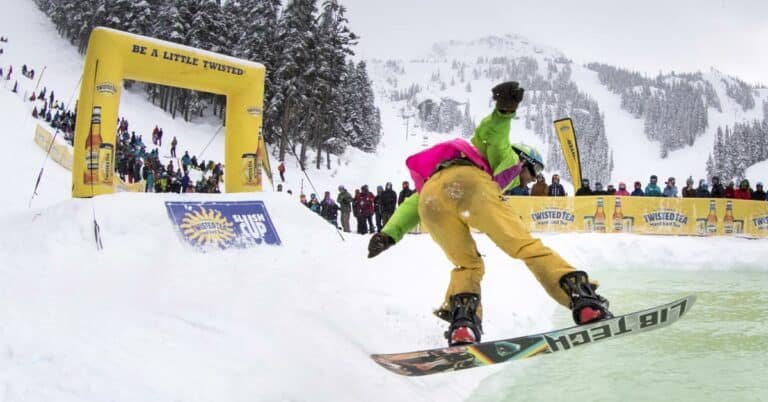
Everyone who shoots with DSLRs for video knows the problems with high speed panning, the dreaded “jello vision” or rolling-shutter effect.  This is caused by the way the camera’s sensor records the information, top to bottom.  As you pan, the image that the sensor starts to record at the top, is shifted slightly to one side by the time the sensor has finished recording the data at the bottom so the subjects appear to bend to one side.  But this does not really effect your video if you want to perform a tilt at high speed because relative to the vertical lines on the sensor, the subject is not moving. A couple of days ago I wanted to try out my 300mm f2.8 L IS for filming with my 1dMKIV.  I was attending a snowboarding competition and I knew that with such a long lens I was going to need to follow the action pretty fast.  Instead of setting up for a standard panning movement, I climbed high above the action and shot a high speed tilt instead, thereby making full use of the cameras abilities and not allowing it’s main weakness to effect my ability to get a cool shot.  There is some panning motion in there too but it is a much smaller amount than it would have been if I was side on to the action.  Also bear in mind that I have conformed this from 60p to 30p in cinema tools, so the actual speed of tilt was twice as fast as it appears, and the footage held up nicely.

Tomorrow the Apple iPad will finally launch internationally,including in my home country of Canada. I have written previously about what an iPad can do for photographers and now everyone outside of the US can find out for themselves.  To mark the occasion I have decided to offer up a FREE wallpaper for your brand new iPad.  Wallpapers for the iPad need to be 1024px X 1024px.  This is somewhat unusual, and only a portion of this picture will be able to be seen at one time, depending on whether you have the iPad in vertical or horizontal mode.

iPad_wallpaper_whistler_dancarripad_dancarr_whistler

The wallpaper I’m offering here is a photo of the Peak 2 Peak gondola at the ski resort of Whistler Blackcombb in my home town of Whistler, BC in Canada.  I’m offering it here for personal use only as a wallpaper for your iPad.

CLICK HERE TO DOWNLOAD

wallpaper_template

If you are interested in creating your own iPad wallpapers I have also created a photoshop template that will help you visualize exactly which parts of your photo will be visible when the iPad is in a particular orientation.  You can DOWNLOAD THE IPAD WALLPAPER TEMPLATE by clicking the link.  It is a .psd file which you can open and overlay as a separate layer on top of you image in photoshop.  Make sure you lower the opacity a little bit on the template layer to reveal your photo underneath.  Then you can move your image around until you have it in just the right spot so it will look good in both orientations !  The areas covered by the red squares will never be seen, in either orientation.  The center square will always be seen, and the yellow strips will be seen depending on whether you have it horizontal or vertical.


Adobe release Photoshop CS5 a couple of days ago and one of the most talked about features is the content aware fill tool.  I recorded a quick demo of it this morning with a couple of potential uses.  I don’t think its quite the “black magic” that it seemed to be when Adobe demonstrated it but it could be a time saver in some situations.  Just using the tool on its own though rarely does the job, it still needs considerable touching up with the healing tool and brushes but at least it can get you in the ball park pretty quickly.  If you want to try it out yourself head on over to the Adobe website and download a free 30 day trial.  I didnt have a chance to play with many other features but there seemed to be a slight speed increase and I also really like the mini Bridge module.


Adobe Photoshop CS5

Similar Posts:

Screen shot 2010-04-27 at 10.09.19 PMSo you’ve mastered you wide-angle lenses and medium telephoto zooms like the ubiquitous 70-200.  The next step is inevitably looking at longer lenses in the 300mm and up range.  Firstly, be prepared for your wallet to take a bit of a hit.  For the most part, once you start heading north of 200mm the price of lenses can take a bit of a jump for the higher quality ones.  I can’t cover every lens option but here’s a few thoughts on some of your options from the main two manufacturers.  During my years shooting skiing I have rarely needed a lens that goes much longer than 300mm.  Sometimes 400mm is good and a couple of times even longer.  But I would not say that for skiing and snowboarding photos you need a lens that is natively longer than 400mm.  If you need longer once a year, its best to use a teleconverter that time, than carry around unneeded range with you all the time.  Here are your main choices in order of ascending price……. Continue reading »

6a00d8341ce76f53ef012876db2b3a970c-800wiPicture 7This sort of follows on from the review I did a few days ago of the Gisteq PhotoTrackr.  I was not overly enamored with the software that came in the box with the PhotoTrackr but it did allow you to export the GPS track to a .gpx file and that meant you can upload it to other software.  With the introduction of Aperture 3.0, Apple added compatibility with geotagging to the popular photographic organizational tool.  The new “places” tool in Aperture 3 lets you sort and view your photos by location, and also lets you geotag your photos either by uploading a .gpx file from a third party tracking device or by syncing with information in your iPhone photos.  Continue reading »

leighpowis_dancarr0720Flash photography can seem like something of a dark art to begin with. Pop-up, hot-shoe mounted, remote, fill and bounce; there are many ways a photographer can use flash to control the exposure and look of a photo. It is more complicated than ambient light photography so before you begin experimenting, make sure you have a good understanding of all the basics of exposure; shutter speed, aperture and ISO.

In ski photography, flash is used in two key ways. Firstly, as a substitute for ambient light for instance shooting rails at night, or tree skiing on a cloudy day.   And secondly as “fill flash” to supplement the ambient light and fill in dark shadow areas where strong sunshine is creating undesirably high contrast or “harsh” light in the image.

If you have a DSLR then you will almost certainly have a pop-up flash. These are of very limited use for shooting action photos though. Partly because of the lack of control you are given over the settings, and partly because they are very low powered and only have a useful range of about 10ft. Up to this distance you can successfully use them for fill flash on static subjects but if you are serious about taking good photos then you need to buy a separate flash. Your camera won’t know that you are shooting action so be wary of it’s automatic use of the pop-up in some situations. It’s better to turn it off completely until you know that you need it.

With a hot-shoe mounted flash you are beginning to have the necessary control needed to start shooting some ski photos. These flashes have extremely complex “brains” inside them that evaluate the necessary flash output depending on the light situation. If you always have your flash set to automatic though, you will never learn anything new and I guarantee you that you are not getting the best possible photo.

Whatever type of flash you use, your camera will limit your shutter speed to around 1/250th or slower. For an evenly lit subject, the entire burst of light from the flash needs to occur during the fraction of a second that the shutter is completely open. This maximum shutter speed is called the x-sync and using a speed faster than this can result in a photo that displays dark bands of un-flashed areas. Some hot-shoe mounted flashes have a “ high speed sync” mode that does allow the flash to sync with the shutter at faster speeds. This is achieved by greatly reducing the power output of the flash, which in-turn shortens the duration of the flash burst. Less power means you need to get much closer to your subject so whilst it’s good to know how to use this mode, it’s not always the answer and careful setting of your camera and flash settings can often yield a better result.

In flash photography you effectively control two exposures at the same time. The first is the ambient light exposure, controlled by your shutter speed. The second is your flash exposure controlled by your aperture or by adjusting your flash power. As the shutter curtains open to fully reveal the camera sensor, your flash fires to “paint” your skier into the scene with a burst of light. The duration of this flash is much faster than the shutter speed though so the remaining time after the flash burst has fired, is left for the ambient light to “paint” in the background of the photo before the shutter curtains have fully closed. The action in the photo is frozen by the burst of light from the flash, and not by your shutter.

A single on camera flash is convenient, and a good starting point, but once you have mastered that the next step to creating professional looking shots is to learn about off-camera lighting. With today’s technology, the number of off camera flashes that you can add to a scene is almost endless. Radio transmitters attach to the camera and send a wireless signal to a receiver that mounts to your flash, allowing you to place it exactly where you want to capture the best shot. Many of my ski photos use 5 or more flashes synced to fire simultaneously and some guys take it even further than that. That much equipment is beyond the realms of most enthusiastic photographers but you can create incredible photos with careful placement of only one or two strobes. Learning to use off-camera flash creates those angles between the light and the camera that introduces shadows and texture to the scene, helping you to get a more realistic and three-dimensional look.

Techniques for multiple flash use and more information on x-sync and flash duration will appear in a separate article on this site in the near future.


Some of my lenses

Continuing on with my Snow photos 101 section, by far the most common question in my in-box is “what camera or lens should i get?”.  You can view the equipment that I use HERE, but this doesn’t mean that you need all of this to make some great ski or snowboard photos.

Lenses

A professional ski photographer will own lenses that range from a 15mm fisheye all the way up to a 300mm telephoto lens.  Different shooting situations require different setups and they aren’t necessarily all carried at the same time.  By far my most used lens is my 70-200mm zoom lens so something in that range would be a wise choice.  When you are deciding which equipment to invest in, bear in mind that camera technology is evolving at a frantic pace.  Whichever camera you choose now, will be outdated in a years time. Lens technology on the other hand moves at a much more sedate pace.  Very little has changed over the last 10 years aside from the addition of image stabilization to a few lenses.  It therefore makes sense to spend as much as you can on your glass, if you treat it properly a good lens can last you a decade.  Typically you will see a more noticeable improvement in image quality by using higher quality glass, than you would with using a more expensive SLR camera.

Picking a single lens that covers the whole focal length range you need is not the best solution. The larger the zoom range the lesser the image quality so try and split it up into at least 2 or 3 lenses.  A wide-angle zoom such as a 17-40mm or 18-55mm and then a telephoto zoom in the 70-200 range will have you covered for most things.  Once you have mastered these, you can add specialized lenses to your lineup, like a fisheye or large aperture prime lens like the 50mm f1.8.  Prime lenses, those with a fixed focal length, will always yield a sharper photo than their zoom counterparts, but most ski photographers value the portability of a few zooms over a large collection of primes.

Cameras

What camera should I get?  There is no one right answer to this question; a good photographer can make a good photo with almost any camera. Don’t get sucked into the megapixel race though, the majority of images you see in ski or snowboard magazines up to 2009 will have been shot at either 8MP or 10MP and as you will have seen, that’s more than enough for most users.  I would however recommend sticking to the 2 big brands, Nikon and Canon.  Both companies make exceptional sports cameras for professional users and many of the features filter down lower in their product line for beginner and advanced photographers.

Readers of SBC Skier in Canada this year will have seen my series of ski photography tips.  I have decided to put together a new section on my blog which initially starts off with the beginner tips featured in SBC Skier and then moves on further to more advanced information for readers looking for a a little more in-depth info.  Every few weeks I will add a new section to the tips until I have covered the things that most people ask me about.  Hopefully by the end there will be a good collection of information for people to reference.
We will start with the basics and gradually move on to more advanced subjects where I will expand on things a bit further for those wishing to delve a little deeper.

If your ski photos look flat and the snow looks featureless, try shooting them early in the morning or late in the afternoon when the sun is lower in the sky. This will create shadows on the snow and reveal details and textures that are not apparent when the sun is overhead at midday. On a clear day much darker and richer colors will come out in the sky.

For the same reason, try to avoid having the sun directly behind you when you shoot. Creating an angle, even a small one, between you and the sun will introduce more contrast into the brighter areas of your shot by revealing shadows behind objects such as snow drifts, ridges, trees and even individual crystals of snow.

A common miss-conception is that you should never shoot into the sun. Whilst that might apply to some aspects of photography, it can be a great way to bring a dramatic look to your ski photos by creating a back-lit spray of powder or a silhouette against the sky.

Composition

The rule of thirds states that compositional elements and points of interest in a photo should be aligned with either the lines or the intersecting points of an imaginary 3×3 grid on top of your photo (figure 1).

Composing your photos in this way will usually create nicely balanced images that are easier on the eye. From figure 1 you can see that the centre of the photo contains no intersection and no line. A common mistake is to put your subject right in the centre of the photo but aesthetically this rarely works well. Try lining up horizons with one of the horizontal lines or putting your skier subjects at the intersecting points and you will come away with a much more pleasing image.

The “Rule of Thirds” is not a rule at all though; it’s a guideline. Depending on the content of the image, there might be cases where you can make a good image without it but if you are uncertain how to compose a shot, it’s a great place to start. You can also try and look for lines in the natural environment that will draw the eye towards the intended subject of your photo.

Exposure

Most people have experienced taking a picture of a beautiful snowy scene only to discover that the photo they see on the back of the camera looks dark, dreary and gray. Cameras are designed to expect an average scene with an average brightness and the huge amount of light reflecting off snow goes far above that expected value. The camera will often under-expose the shot, mistakenly thinking that the shot is overly bright when in fact there is just a lot more reflected light than an average situation.

Some smaller cameras have a “snow setting” hidden away in the menu, be sure to use this if your camera doesn’t have any manual settings. If you are using an SLR camera and shooting on semi-automatic settings like aperture or shutter priority, you can use your cameras “exposure compensation” function to dial in an adjustment to your exposures. The adjustment will vary depending on the brightness of the day so experiment and try to understand how your camera reacts do different situations, every camera is different. Learning how to read the histogram on the camera will let you know when you have nailed the exposure correctly.

(The use of the histogram and the theories behind light metering go far beyond the scope of this first article. If you are seeking more information please read my longer essay on the subject, available on the website in the coming months.)

Remember photography is about being creative; there are very few hard and fast rules, only guidelines. Get out there, experiment and have fun but these few simple tips will get you off to a good start.


This post is sort of a prelude to a review that i’ll be writing in the next couple of weeks.  Recently the folks at IKAN sent me one of there v5600 to test out while I have been shooting some video with my 7d and 5d.  When I started to take down some notes I realized that there are a few things to be said about using external monitors with these cameras and some of them are characteristics of the cameras and therefore independent of the type of monitor you are using.  I found myself trying to figure out what was caused by the camera and what was the monitor so In order to not confuse the review at all, here are some things worth knowing……

Continue reading »

© 2010 Dan Carr Suffusion WordPress theme by Sayontan Sinha