
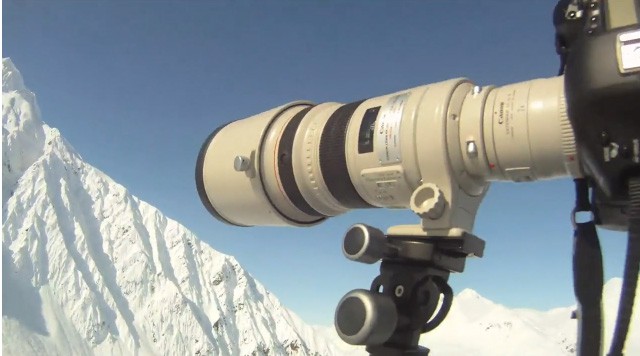
Sometimes I get in the mood to do big technical tests on gear and lenses. I have a few of those in the works right now but for this one I’m going to keep it simple. Teleconverters have a fairly bad reputation and my first foray into their use was with my original 70-200 2.8 L IS. I picked up a 1.4x II thinking that it might be useful for getting me near the 300mm mark on the cheap. Long story short, I tried it a couple of times and then swore never to put a teleconverter anywhere near my beloved 70-200 ever again. Then I sold the 70-200 2.8 and swapped it for a 70-200 f4 L IS. The newer f4 IS was much sharper than its older 2.8 cousin so I tried the 1.4x on that and was a little more impressed, though by that time I already had a 300mm f4 IS , so the 280mm reach of the 70-200 + 1.4 TC was a bit redundant. I also tried the 1.4x on the 300 f4 and was a little disappointed with that combination. So my initial experiences with teleconverters were very mixed and I never found a combination that I would be happy using in anything less than an emergency. Apart from the degradation of the image quality, there was also noticeable decrease in auto focus speed and accuracy. But what about the legendary 300mm f2.8 L IS ? Continue reading »
I’ve had a mild curiosity in geotagging for a while. Years from now, i’ve always thought that it wold be very cool to know exactly where some of my photos were taken. Especially my backcountry skiing photos where they are not necessarily taken near any recognizable landmarks. As I travel more and more to other parts of the world too, it would be nice to look back at that in the future and see exactly where I was.
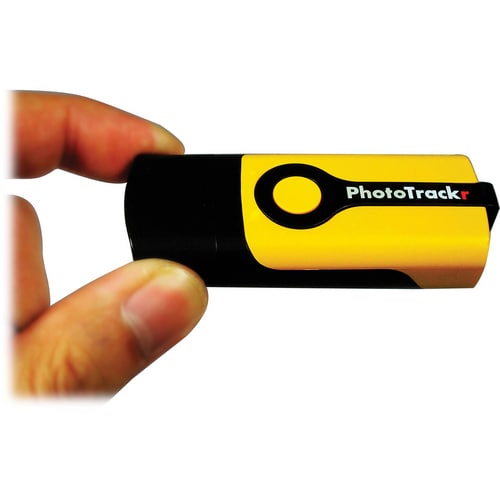
For Canon shooters you instantly run into a problem though. So far Canon has refused to add geotagging to any of their cameras and they have also refused to add the ability for third-party developers to come up with their own solution. Nikon users have it pretty easy by comparison with their G-P1. It connects directly to the camera and writes the GPS location of the photo straight into the metadata. If you shoot Canon though you are going to need to do a little extra work and I was intrigued to find out how much effort it would be to integrate this into my current workflow, especially now that Apple have integrated geotagging into Aperture 3.0. A bit of research led me to the Gisteq PhotoTrackr mini.
Anyone that has ever used a DSLR outside in bright sunshine knows that it can sometimes be tough to see the LCD on the back of the camera. Yes you can get a rough idea whats going on but when you are trying to check critical focusing or exposure with the histogram it can be tricky and I normally resort to unzipping my jacket and trying to view it inside, or removing my jacket and throwing it over my head if its a bright day. When you have miles of snow surrounding you on all sides, each flake seemingly reflecting the sunshine directly at your LCD it can prove very annoying! But not any more……
I recently picked up a newly updated version of the Hoodloupe Professional from the US company Hoodman who specialise in screen shades for a variety of photographic and video applications. The new version fits up to a 3″ screen and provides the perfect solution to my problem. The Hoodloupe can be worn around the neck, and when it is time to review your shot simply place it over the screen and look through the adjustable eyepiece. The optics are crystal clear and really allows you to check your framing and exposure as if you were in a darkened room. Its is coated in a layer of grippy rubber and feels solidly made but also very lightweight. When its not in use it also comes with a very nice, thickly padded case so you can stuff it in your pack and not worry at all about damaging it. The eyepiece has a smooth motion and works just like that of a pair of binoculars with a +-3 diopter to accomodate people with glasses.
Another useful application is to allow clients and art directors to view the shots you are getting. Sometimes it is just not possible to set up a laptop for them to view the shots as you shoot them but offering them a look using the Hoodloupe instantly gives them an acurate idea of what you are capturing. I always get comments on the usefulness of the Hoodloupe from my clients if they are on the shoot.


