
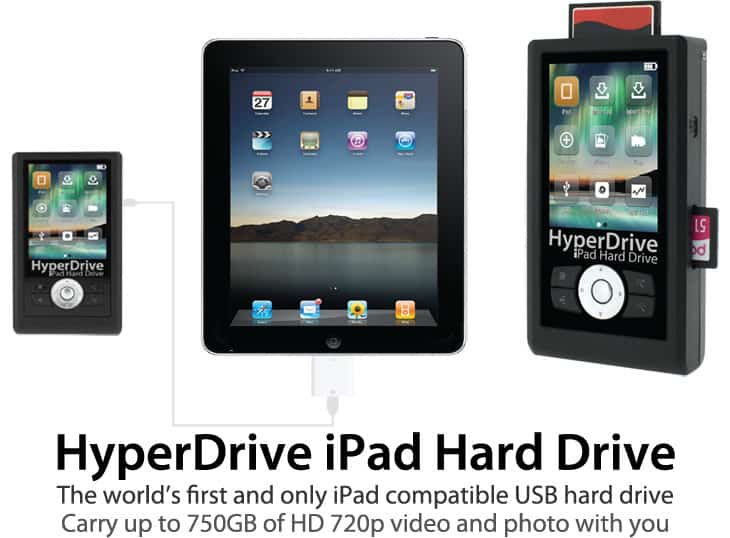
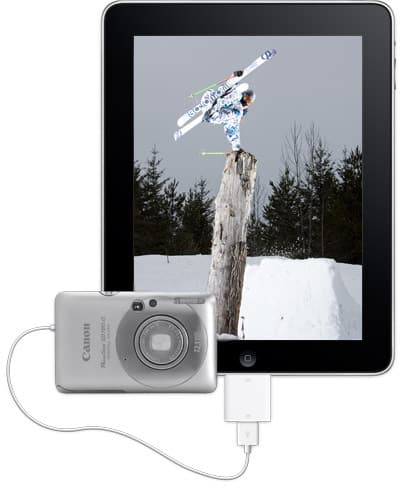
A few months back I wrote an article about how the Aple iPad can be used by photographers.  The biggest disadvantage of the iPad has always been it’s limited internal storage and inability to connect external drives for additional storage.  Today though, Sanho has announced a new version of their excellent Hyperdrive UDMA (which I reviewed last year) which can successfully be used as an external drive on the iPad when connected via the camera connection kit.

This is some pretty huge news for photographers that want to travel with the absolute minimum of gear.  You can download your images from your CF or SD card directly into the Hyperdrive via its own memory card slots, and then transfer them over to the iPad if you need to do anything more with them.  Make small edits, upload to a blog or FTP to a client for example.  It also allows you to carry your full music or movie collection with you for entertainment on the road.  It would seem that files cannot be played or edited from the Hyperdrive, instead they must be transferred over to the iPad first, but this is a big step in the right direction!  Full press release after the break if you want all the details! 
Continue reading »

Tomorrow the Apple iPad will finally launch internationally,including in my home country of Canada. I have written previously about what an iPad can do for photographers and now everyone outside of the US can find out for themselves.  To mark the occasion I have decided to offer up a FREE wallpaper for your brand new iPad.  Wallpapers for the iPad need to be 1024px X 1024px.  This is somewhat unusual, and only a portion of this picture will be able to be seen at one time, depending on whether you have the iPad in vertical or horizontal mode.

iPad_wallpaper_whistler_dancarripad_dancarr_whistler

The wallpaper I’m offering here is a photo of the Peak 2 Peak gondola at the ski resort of Whistler Blackcombb in my home town of Whistler, BC in Canada.  I’m offering it here for personal use only as a wallpaper for your iPad.

CLICK HERE TO DOWNLOAD

wallpaper_template

If you are interested in creating your own iPad wallpapers I have also created a photoshop template that will help you visualize exactly which parts of your photo will be visible when the iPad is in a particular orientation.  You can DOWNLOAD THE IPAD WALLPAPER TEMPLATE by clicking the link.  It is a .psd file which you can open and overlay as a separate layer on top of you image in photoshop.  Make sure you lower the opacity a little bit on the template layer to reveal your photo underneath.  Then you can move your image around until you have it in just the right spot so it will look good in both orientations !  The areas covered by the red squares will never be seen, in either orientation.  The center square will always be seen, and the yellow strips will be seen depending on whether you have it horizontal or vertical.


ipadA few days ago Apple announced that it has sold 1 million iPads in the device’s first month on sale.  Less than half the time it took the original iPhone to achieve the same feat.  Lots of photographers like a good gadget and many are users of other apple products already, but is there actually any practical use for one?

It seems as if the iPad might be the catalyst for a fundamental change in the way that we receive what was previously “printed” media.  The iBook store has sold 1.5 million books along with that first 1 million iPads and many of the largest magazine publishing companies have released iPad versions of their monthly magazines.  So far most of them have failed to really optimize these digital magazines and really take advantage of the possibilities, but i’m sure that it will come with time.  Many people were waiting to see how things took off before committing budgets to their development.  But what use can an iPad be to a working photographer right now? Continue reading »

Related Posts Plugin for WordPress, Blogger...
© 2010 Dan Carr Suffusion WordPress theme by Sayontan Sinha