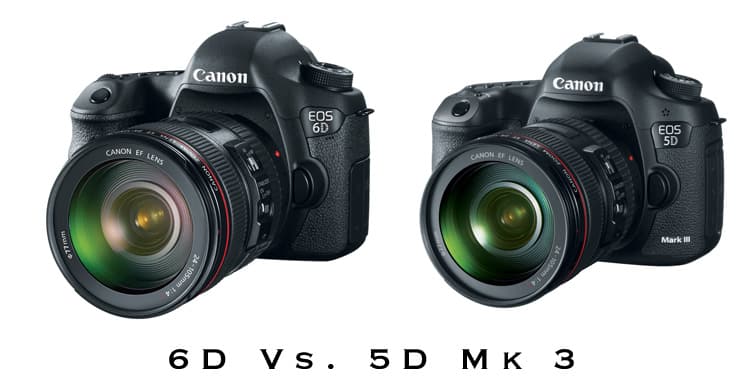
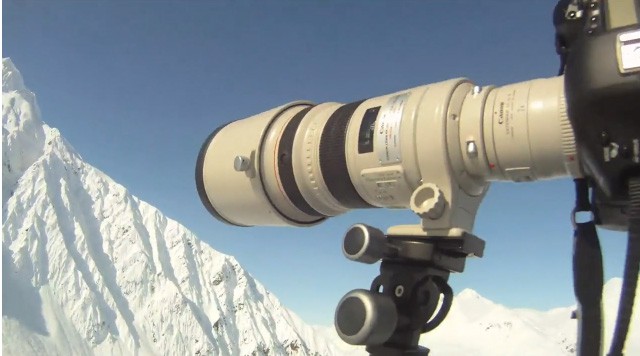
Sometimes I get in the mood to do big technical tests on gear and lenses. I have a few of those in the works right now but for this one I’m going to keep it simple. Teleconverters have a fairly bad reputation and my first foray into their use was with my original 70-200 2.8 L IS. I picked up a 1.4x II thinking that it might be useful for getting me near the 300mm mark on the cheap. Long story short, I tried it a couple of times and then swore never to put a teleconverter anywhere near my beloved 70-200 ever again. Then I sold the 70-200 2.8 and swapped it for a 70-200 f4 L IS. The newer f4 IS was much sharper than its older 2.8 cousin so I tried the 1.4x on that and was a little more impressed, though by that time I already had a 300mm f4 IS , so the 280mm reach of the 70-200 + 1.4 TC was a bit redundant. I also tried the 1.4x on the 300 f4 and was a little disappointed with that combination. So my initial experiences with teleconverters were very mixed and I never found a combination that I would be happy using in anything less than an emergency. Apart from the degradation of the image quality, there was also noticeable decrease in auto focus speed and accuracy. But what about the legendary 300mm f2.8 L IS ? Continue reading »
If you shoot video with a Canon DSLR you already know the audio sucks. Or even if you don’t, maybe you have read my guide to audio and microphones for these cameras ! Recording your audio separately is without a doubt the way to get the highest quality audio track but it adds a couple of daunting extra steps to your production. Firstly the simple process of making sure you record the audio and not just the video while you are shooting, 2 record buttons to press! And secondly syncing that audio to your video track in post-production. I guess you could also add in an extra middle process in there of keeping all the audio files organized in a way that you can relate them to the video clips. This all sounds pretty time consuming but for the last year or so lots of people have been singing the praises of a piece of software called PluralEyes from Singular Software. Available as a plug-in for Final Cut, Premiere and Vegas, it takes your the audio track that is associated with your video track and automatically analyzes the waveform to match it up with your second separately recorded audio track. Great if you have one of those 3 editing programs, but consumer video users were left out in the cold. Not any more though…… DualEyes is a new program in beta testing from Singular. And rather than being a plug-in, it is now a totally separate program meaning that anyone can use it all the way from iMovie makers to pros already using Final Cut , but wanting a more streamlined workflow for audio syncing. Take a look at the demo video that they posted on their website, it really looks very easy and would be perfect to use with the new Zoom H1 audio recorder or the H4N.

This post is sort of a prelude to a review that i’ll be writing in the next couple of weeks. Recently the folks at IKAN sent me one of there v5600 to test out while I have been shooting some video with my 7d and 5d. When I started to take down some notes I realized that there are a few things to be said about using external monitors with these cameras and some of them are characteristics of the cameras and therefore independent of the type of monitor you are using. I found myself trying to figure out what was caused by the camera and what was the monitor so In order to not confuse the review at all, here are some things worth knowing……
When I decided I needed to get this video stuff dialed, I needed something to shoot. There’s no point trying to figure this all out unless you have a purpose and some footage to play with. Leigh Powis, a local skier from Whistler, told about his crazy plan to put a trampoline on top of a cliff to help him practice a few new tricks before the winter. This was the perfect chance to try filming some action AND some lifestyle.
So below is my very first ever video with the 5dMKII. We shot it on 3 different days for about 2 hours on each day. Please click through to the actual Vimeo page if you want to watch the video in HD. But come back to find out more about the video!!
Cliff Trampoline – Whistler from Dan Carr on Vimeo.
The lenses I used to shoot it were the 85mm1.8 , 17-40 f4, 24-105 f4, 70-200 f4,45mm 2.8 Tilt Shift, 15mm fisheye and the 50mm 1.8.
There are many people out there shooting videos with the 5dMKII right now. The new intro for Saturday Night Live was even shot with one last week! A lot of these video pros are attaching all sorts of accessories to the camera to make it easier to shoot video. External monitors, follow focus systems, matte boxes, shotgun mics and all manner of crazy rigs to hold them all together. This video though was shot with a 5dMKII on a tripod. Nothing else.
The tripod had a manfrotto 701HDV video head on it but that’s about the only difference to what I would usually carry for shooting photos. That’s not to say that all those potential accessories don’t make a difference, they undoubtedly do, but they are not a necessity if you want to travel light.
The whole video was shot in full manual mode so that I had total control over the aperture. In order to shoot at very wide apertures and keep the shutter speed down to something normal, I used a 2-stop neutral density filter on some of the lenses. Occasionally I also put a polarizing filter stacked on to the ND filter which has the effect of cutting down the light even more. This did produce some vignetting which you can see in a couple of the shots, but it actually looks like a nice effect! A 2 Stop ND is going to be the absolute minimum you need to get a nice looking DOF on a bright day though.
For a couple of shots I attached the camera to the end of a Manfrotto studio lighting boom arm. Not what it was intended for at all!! But it produced a dramatic angle. The panning shot right before the action starts at 2min08sec was shot like this. The camera fixed to the studio boom with a manfrotto magic arm and then panning on the mount on top of my regular Benro tripod. Again, a nice video boom would have been great, but I wanted to make this with just the gear I had access to. If you have read much about DSLR video before ,you will probably be aware of what “rolling shutter” is. You really have to be careful with your panning to avoid this. Slow and smooth is absolute necessity or you will get the jello effect. I also found that the visibility of this effect was somewhat dependent on what shutter speed I was shooting at. With a higher shutter speed it seemed to show up a lot easier.
Speaking of shutter speed, I experimented with that a bit too. My preference was for the footage that was shot between 1/120 and 1/250 for the action stuff. Anything faster than that and it gives it a sort of weird digital jerky effect. For the lifestyle shots and interview shots I think I used it down at around 1/60 though. I basically set the shutter speed I wanted, then used the filters to get to the aperture I wanted and then dialed in the ISO speed to get the correct exposure. Incidentally, that is something that I found frustrating. Its VERY easy to miss your exposure by a 1/3 of a stop because the “blinking highlights” feature is only available in playback. Most times I would shoot a quick 2 second clip to check exposure before shooting the shot. It would be great if there were some zebra lines to show overexposure. They are available int he Magic Lantern firmware hack but I haven’t ventured that far yet….
One thing that I was pleasantly surprised about was how easily I managed to nail the focus in the shots even though it is fully manual. The screen on the 5dMKII really is great and considering I wasn’t using any type of screen shade or eye-piece, I found it quite easy to get the focus right first time. Pulling focus between 2 subjects takes a bit of practice to do smoothly, but its possible.
When I first got the 5dMKII last winter, the camera world was buzzing about the incredible HD video that it can shoot as well as the beautiful 21MP images. This will be great I thought, I can shoot some videos in between shooting photos. When it actually came down to it though, nice idea as it is, I didn’t have the time mid-winter to learn about shooting video and editing HD video or learn about all the weird idiosyncrasies that the 5d’s video has. I made a couple of short videos that never turned out how I expected and then pretty much gave up on it until I had some time to sit down and figure it all out.
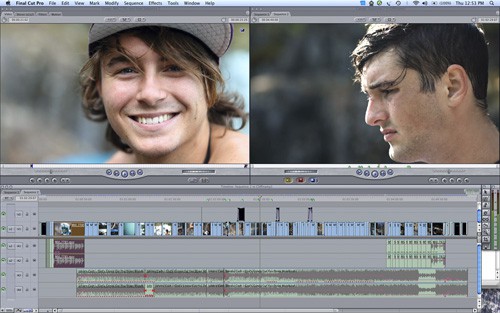
Every year in the Autumn downtime before winter I sit down and try and teach myself a new skill. Up this year was naturally DSLR video shooting and editing with Final Cut Pro. There’s a few things you need to be aware of, and a couple of problems to solve when shooting with the 5d so i’d better write it all down so you guys can give it s shot too.
The 5dMKII generates 1080p video files at 30fps in h.264 codec. Only one out of these three things is actually a good thing. Video people will look at 30fps and assume that I mean the NTSC standard of 29.97fps because it’s often shortened to 30fps when talked about. Wrong. For some reason Canon decided to use an actual 30fps so that is something you need to bear in mind if you are shooting with any other cameras that shoot at 29.97 and intend to mix footage and audio together. For me though, right now that wasn’t a huge problem and 30fps is just fine for web content which was my initial goal.
What was a problem though was the h.264 format of the files. H.264 is typically used as a finishing format, it’s a codec used to compress movie files when you export them from an editing program like Final Cut or Avid (if you are on a PC). The codec is NOT designed to be edited with and Final Cut will not handle it very well if you try. Importing native h.264 files into FCP will have it breathing like its having a heart attack in no time. Nothing renders in real time and a few seconds of footage requires a 5 minute render every time you make the smallest of changes. This is what put me off the most when i first experimented with the video back in the winter.
First what you need to do is become familiar with some sort of transcoding program that will convert all of your h.264 video into a format that will Final Cut can handle at speed. If you have Final Cut then you should also have Apple Compressor and this is certainly one program that can handle the task. Another option though is a fantastic piece of freeware called MPEG Streamclip. You can download it from their website HERE.
For batch processing a large number of files, I actually preferred using MPEG Streamclip for the job and it’s not at all as daunting as it may sound. Which format you convert to will depend on your intended output for your project. Are you aiming to make production quality TV shows, DVDs or just simply some web content at a scaled down size? If you want to make the highest quality available to you, it is generally considered that converting to Apple ProRes 422 is the best option. You will need Final Cut 6 or later though to have access to this codec. Converting all the h.264 files is more or less a case of just dragging and dropping the files into Compressor or Streamclip and selecting the relevant setting from the menus. I wont go into detail about that as its fairly self explanatory once you have the program in front of you. Converting to ProRes format will roughly quadruple the size of your video files though, so if you go down that route, make sure you have some serious disc space available and a powerhouse of a computer to edit with…
If you are looking for a smaller file size then converting to AIC (Apple intermediate codec) is a great option. File size is roughly half that of ProRes, it is very very hard to tell the difference between the two and AIC files are handled very quickly in Final Cut. This is the option that I chose to work with for my project.
At this point i’m going to leave it here for now as this is getting quite long. I have just finished editing a quick 5 minute short that I shot while I was going through this learning process and I will upload that to the web shortly, along with some more information on things I discovered whilst learning to shoot video with the 5d.
Ever looked at something and wished you could shoot 2 different angles? Any working photog these days is going to own more than one camera. If one of your cameras fails, you need to be able to finnish the job you are being paid for. But other than having the camera just as a backup, you can put that camera to good use too. Remote cameras are nothing new in sports photography. Take a look around any major sporting event and you will often see hundreds of remote cameras. Photographers for some large agencies will capture anything up to 10 different anlges with the push of one button. This type of setup is not something you see in action sports photography very often but it does happen and it can be very useful.
In a lot of circumstances it is just not practical for me to shoot with more than one camera, the weight of the extra equipment simply outweighs the benefits. But if I am shooting a park shoot or a snowmobile accessed backcountry jump then I will put my extra camera to use.
The remote camera is fired using the same pocketwizards that I use for my lighting gear, in fact the only extra piece of equipment you need is a motor cable to attach the pocketwizard to the 10-pin socket on the side of the camera. These cables have an in-line switch which you can flick to put the camera in a permanently “awake” mode. Mimicking the action of depressing the shutter button half way, it helps to make sure the camera fires the instant it receives a signal from the transmitting pocketwizard.
It all sounds remarkably simple but there are a few things I have learnt. Firstly, differing frames per second can cause a problem. My backup body is a 5dMKII which shoots considerably less frames per second than my 1DMKIIN (8 vs about 3 i think). I found that when holding the shutter button on the 1DMKII to fire a burst, the remote camera would not fire consistently at its fastest rate, it would stutter a bit. I solved this by using a pocketwizzard Multimax as the receiver on the 5d. ON the multimax you can adjust what is called “contact time” If you set the contact time for 2 seconds, one press on the transmitter and the receiver acts as if the test button is being held down for 2 seconds. By setting it up like this, the receiver was only really hearing the first initial signal from my transmitter as I begin a burst on the 1dMKIIN but it keeps the 5d firing continuously for 2 seconds at its maximum FPS.
The other problem with all of this is something a bit harder to solve. Pocketwizards are not quite all they are made out to be in many situations. I think the official maximum distance for their operation is something like 1500 feet, but that is under optimal conditions. As far as I can tell, these optimal conditions only exist in the lab of the company that makes these things, and certainly not at 8000ft in the coastal mountains of BC…… The operation of these things is something of a mystery but they do appear to be effected by temperature, weather, altitude….you name it really. There are things you can do to help, keeping line of site with the receiver is one of them and keeping the receiver as high above the ground as you can. But when it comes down to it, sometime they just wont work when you need them to. Never rely on a remote camera , but when the planets align and they do work you might just get yourself a great shot that you weren’t expecting. It’s a very satisfying feeling to scroll through the shots from you remote at the end of a shoot and see a shot that makes all the frustrations worthwhile.
This is an example of a setup i did on a backcountry jump earlier in the year. As you can see if you click on the photos, you can get two very very different looking angles with the push of one button.
Don’t forget you can also follow me on twitter at http://twitter.com/dancarrphoto


Recent Comments